Integrated BIM, MEPF & VDC Engineering
DIGITAL TWIN • ASSET INFORMATION • FACILITY DATA

Digital Twin & Asset Information Services

Build the structured BIM, asset and facility-information foundation required for digital twin workflows — connecting as-built geometry, equipment records, asset identifiers, documents, system information and operations-ready project data.

As-Built BIM Asset Data Equipment Records Facility Information Digital Handover Operations Readiness
Model Physical Facility
Structure Asset Information
Connect Records & Documents
Prepare Operational Handover
Beyond Construction BIM

A Digital Twin Starts with Controlled Information

A digital twin is not created simply by renaming a BIM model.

Useful operational digital information requires controlled geometry, asset identification, equipment data, system relationships, documentation and defined information ownership.

MEP Global Engineering can help organize the model and information foundation required for more advanced digital facility workflows.
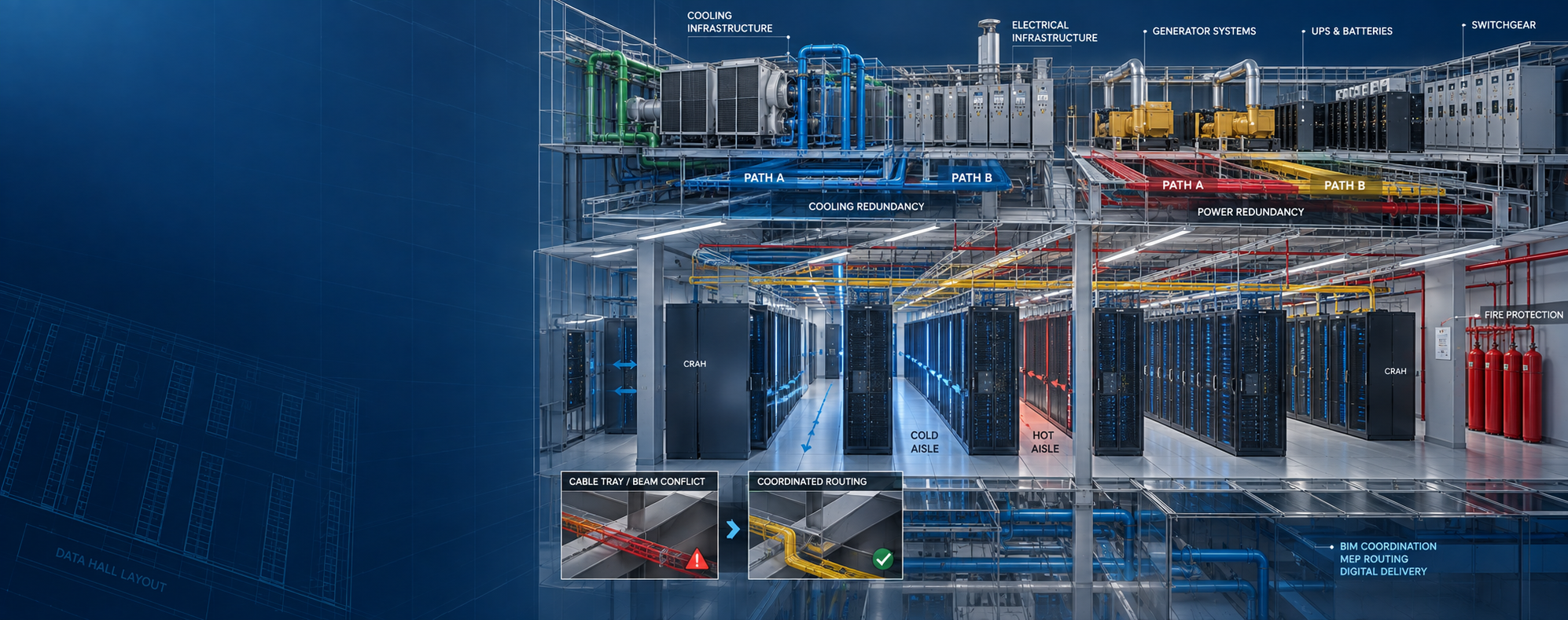
Digital twin and asset information services
As-Built BIM → Asset Data → Facility Information → Digital Operations Foundation Structured information prepared for lifecycle use.
Digital Twin Capabilities

Build the Information Foundation for Lifecycle Digital Use

The exact digital twin scope should be defined by operational use, available systems, asset requirements, data standards and technology platform.

01 / BIM FOUNDATION

Digital Twin BIM Preparation

Prepare structured project BIM for agreed facility-information and downstream digital uses.

02 / ASSETS

Asset Information Structuring

Organize project-defined asset identifiers, attributes and equipment information.

03 / AS-BUILT

As-Built Model Integration

Connect supplied construction closeout information with structured record BIM.

04 / EQUIPMENT

Equipment Data Integration

Associate defined equipment information with relevant digital model objects.

05 / DOCUMENTS

Document Association

Structure references between assets and supplied manuals, submittals or project records.

06 / SYSTEMS

System Information Structuring

Organize project-defined assets relative to facility systems and operational groupings.

07 / HANDOVER

Digital Handover Preparation

Prepare agreed models, registers and asset information for facility handover.

08 / DATA QA

Asset Data QA / QC

Review required information fields, identifiers, completeness and model-data alignment.

09 / READINESS

Digital Twin Readiness Review

Assess available BIM, asset and handover information against defined digital twin requirements.

Digital Twin Information Layers

More Than Geometry

LAYER 01 Facility Geometry Structured as-built or operational BIM geometry.
LAYER 02 Asset Identity Asset tags, identifiers and project-defined naming information.
LAYER 03 Equipment Data Supplied manufacturer, model, type and equipment information.
LAYER 04 System Relationship Project-defined system and equipment grouping information.
LAYER 05 Documentation References to manuals, submittals, warranties or related records.
LAYER 06 Location Information Building, floor, room and project-defined spatial references.
LAYER 07 Operational Attributes Project-defined facility information required for operational workflows.
LAYER 08 Connected Data Future or project-specific integration with operational technology platforms.
Digital Twin Readiness

A BIM Model Does Not Automatically Become a Digital Twin

BIM provides an important digital representation of the facility, but a useful digital twin workflow depends on more than geometry.

Asset information, data quality, system relationships, document links, update responsibility and technology integration all influence whether the digital information can support operations.

BIM Model Provides the structured digital representation of the facility.
Asset Information Adds required equipment and operational attributes.
Facility Records Connect relevant documentation to model or asset information.
Technology Integration Live systems, sensors and platforms require separately defined integration.
Digital Twin Preparation Workflow

From Project BIM to Operations-Ready Information

01

Define

Confirm operational use, asset scope, information requirements and intended outputs.

02

Review

Review available BIM, asset records, closeout files and project data.

03

Structure

Organize model, asset IDs, parameters and data relationships.

04

Populate

Add project-defined equipment and asset information from supplied records.

05

Validate

Review required fields, identifiers, model alignment and data completeness.

06

Handover

Prepare the agreed digital information package for downstream use.

Asset Information

Structure the Information Facility Teams Actually Need

DATA 01 Asset ID Project-defined unique asset or equipment identifiers.
DATA 02 Asset Type Equipment category, type or project-defined classification.
DATA 03 Manufacturer Supplied manufacturer information associated with the asset.
DATA 04 Model Reference Manufacturer model or product identification information.
DATA 05 Serial Reference Asset-specific serial information where supplied and required.
DATA 06 Location Building, level, room or facility-zone reference.
DATA 07 System Project-defined system membership or equipment grouping.
DATA 08 Installation Information Supplied installation or commissioning references where included.
DATA 09 Warranty Information Warranty data where provided within project records.
DATA 10 Maintenance Reference Links or references to supplied maintenance information.
DATA 11 Document Reference O&M manual, submittal or related project-document reference.
DATA 12 Status Project-defined asset or information status where required.
Digital Handover

Move from Project Closeout to Usable Facility Information

HANDOVER 01 As-Built Model Controlled record model aligned with agreed closeout information.
HANDOVER 02 Asset Register Structured equipment and asset information records.
HANDOVER 03 O&M References Organized references to supplied operational and maintenance records.
HANDOVER 04 Equipment Information Required supplied equipment attributes associated with model objects.
HANDOVER 05 Location Mapping Connect assets to buildings, floors, rooms or defined zones.
HANDOVER 06 System Mapping Organize equipment into project-defined systems and facility groupings.
HANDOVER 07 Data Validation Review required fields, identifiers and record completeness.
HANDOVER 08 Operations Package Prepare agreed files and data for facility or platform use.
Information Governance

A Digital Twin Becomes Less Useful When Its Data Stops Reflecting the Facility

Digital facility information needs a defined ownership and update process after project handover.

Without controlled updates, asset replacements, renovations, equipment changes and operational modifications can cause the digital record to drift away from physical reality.

Information Owner Define responsibility for maintaining important facility information.
Change Control Establish how physical facility changes are reflected digitally.
Asset Updates Update equipment information when assets are replaced or modified.
Model Governance Maintain an agreed authoritative digital information source.
Digital Twin Maturity

Build Capability in Practical Stages

STAGE 01 Structured BIM Establish the digital geometry and model-information foundation.
STAGE 02 As-Built Information Align the model with supplied project closeout information.
STAGE 03 Asset Data Add required equipment and asset attributes.
STAGE 04 Document Links Connect available project records to relevant asset information.
STAGE 05 Facility Integration Prepare information for defined facility-management workflows.
STAGE 06 Platform Integration Connect to external systems where separately scoped and supported.
STAGE 07 Operational Updates Maintain digital information as facility conditions change.
STAGE 08 Advanced Analytics Future analytics depend on connected systems, reliable data and separately defined technology.
Inputs & Deliverables

Project Information In. Structured Digital Facility Data Out.

Typical Inputs

  • As-built BIM models
  • Construction BIM models
  • Asset registers
  • Equipment schedules
  • Manufacturer information
  • Approved submittals
  • O&M documentation
  • Commissioning records
  • Asset information requirements
  • Facility data standards

Typical Deliverables

  • Digital-twin-ready BIM model
  • Structured asset information
  • Equipment data records
  • Asset-to-model mapping
  • Location mapping
  • System information mapping
  • Document references
  • Digital handover information
  • Asset data QA reports
  • Project-defined digital exports
Digital Twin QA / QC

Validate the Information Before It Moves into Operations

Asset information becomes operationally useful only when required data is populated consistently and connected to the correct objects.

QA can review identifiers, parameters, locations, system relationships, required fields, document references and model-data alignment.

Asset ID Check Review asset identifiers for required uniqueness and consistency.
Parameter Check Confirm required fields are available and correctly structured.
Model Link Check Verify asset records connect to the intended model objects.
Location Check Review building, floor, room or zone references.
System Check Review required system or equipment group relationships.
Completeness Check Identify missing required asset or project information.
Digital Twin Applications

Structured Digital Information Across Facility Types

Data Centers Asset-rich digital facility information for complex technical environments.
Healthcare Structured building and equipment information supporting facility operations workflows.
Industrial Facilities Asset and equipment-focused digital information for operating environments.
Commercial Buildings Model and asset information supporting property and facility teams.
Life Sciences Structured project and facility information for complex technical buildings.
Semiconductor & High-Tech Digital facility information for equipment-intensive controlled environments.
Education Campuses Building and asset information supporting portfolio management workflows.
Hospitality Facility and building-system information for operational handover.
Multifamily Portfolios Structured building and equipment information across repeatable property assets.
Scope Responsibility

Digital Twin Preparation Does Not Automatically Include Live Building-System Integration

MEP Global Engineering can support BIM preparation, asset information structuring, data validation, model-data relationships and digital handover.

Live IoT connections, sensor installation, BMS integration, controls programming, cloud platforms, cybersecurity, predictive analytics, AI-based facility monitoring and real-time operational software are separate technology scopes unless specifically defined.

Operational decisions, maintenance procedures and safety-critical facility actions remain with the responsible facility professionals and system owners.

BIM & Asset Foundation Structured model and asset data can be prepared for downstream use.
Digital Handover Facility information can be organized around agreed operational requirements.
Platform Integration Requires separately defined systems, interfaces and technical scope.
Live Operations Remain dependent on owner systems, facility processes and operational technology.
Frequently Asked Questions

Digital Twin FAQs

What is a digital twin for a building?

A building digital twin can combine a structured digital representation of the physical facility with relevant asset, system and operational information. The exact capability depends on the project, connected technology and intended use.

Is a BIM model the same as a digital twin?

Not automatically. BIM can provide the geometric and information foundation, but digital twin workflows may also require asset data, document links, operational information, data governance and integration with external systems.

Can an as-built BIM model be used as the starting point?

Yes. A controlled as-built BIM model can provide an important starting point when combined with required asset information, equipment records and facility data.

What asset information can be connected to the model?

Depending on scope, information can include asset identifiers, equipment type, manufacturer, model, location, system, warranty references, maintenance references and related documentation.

Can existing facilities be prepared for digital twin workflows?

Yes. Existing-condition BIM, scan data, legacy documentation, asset records and facility information can be consolidated into a structured digital foundation where suitable source information exists.

Does this service include IoT, BMS or live sensor integration?

Not automatically. IoT connectivity, BMS integration, controls, sensor deployment, live data platforms, predictive analytics and real-time monitoring require separate technology and integration scopes.

Digital Twin & Asset Information

Ready to Move from Project BIM toward Operations-Ready Digital Information?

Share your BIM models, asset requirements, equipment schedules, closeout records, facility information and intended digital twin use.

Send Project Details WhatsApp Us
WA Discuss Your Project